Review Crochetify
A kit for independent reviewers: how to test the real product, where to check every claim, and what to disclose. You reach your own conclusions. Nothing here asks you to publish, and nothing asks you to be positive.
Last checked against the live product on .
What you can hold us to
- You control the review. We do not ask to read a review before it goes out, we do not ask for a positive one, and we do not ask that you publish at all.
- You test the real product. There is no demo build and no scripted walkthrough. The shop you create runs on the same product every maker uses.
- You can check every claim. Each fact on this page names where to verify it on this site and inside the app. If something does not match, tell us and we correct the claim.
- We answer questions of fact. We do not send talking points, and we do not supply quotes to insert.
Getting review access
You test on a shop you create. Nobody else's data is involved.
- 1
Ask for access
Send a message through the contact form. Pick the Partnership topic, say you are reviewing Crochetify, and tell us where you publish. We reply by email with a personal invite link.
- 2
Create your own shop
The invite link gives you a free trial, normally 30 days, on Basic or Pro, so you can test either plan. Sign up, verify your email, name your shop, and pick a plan. Card details are collected at checkout, and nothing is charged until the trial ends. Cancel from Settings before then and you pay nothing.
- 3
Test whatever you want
Your shop is a real shop. It can go live at its Crochetify link, take orders, and send customer emails. Use the checklist below, or your own.
- 4
Keep it or delete it
When you are done, cancel the plan and delete the shop from Settings, or keep selling on it. Either is fine with us.
What review access never includes
A reviewer never gets access to another maker's shop, orders, customers, or messages, and never gets access to the Crochetify console. Every review runs on a shop the reviewer created, with the reviewer's own data. To see live shops, browse the Shops directory the way any shopper would.
Testing checkout
Place an order on your own shop. There are two ways.
- Free order. Create a 100% off discount code (Discounts), then buy a digital pattern or an item with free shipping. A $0 order goes through with no card, and it works before payouts are connected.
- Paid order. Connect payouts (Settings > Payments). This creates a Stripe account in your name and asks for real identity details, the same as it does for every maker. Then buy from your shop with your own card and refund the order from Orders. Stripe keeps its processing fee on a refund, so a small test order costs a few cents.
A realistic test checklist
The setup a working crochet shop needs, in the order a maker would do it. Skip what does not apply to you.
Set up the shop
- Create the shop and pick one of the seven themes. Change the colors, fonts, homepage sections, and announcement bar. (Customize)
- Write the About page with formatting and a photo. (Customize)
- Choose the links in the menu and footer. (Navigation)
- Open the shop link on a phone and on a desktop.
Add products
- Add a finished item with a stock count and options such as size or color. (Products)
- Add a made-to-order item with no stock limit. (Products)
- Add a digital pattern as a PDF, then buy it and check the download arrives. (Products, then the receipt email)
- Group products into collections and set the order they appear in. (Collections, Arrange)
- If you sell on Etsy: export the listings CSV from Etsy's Download Data page and import it, reviews included. (Settings > Integrations)
Set up selling
- Set shipping rates, including an international rate and a free-shipping threshold. (Settings > Shipping)
- Set up tax: one flat rate, or automatic tax by the buyer's address. (Settings > Taxes)
- Create a discount code, run a timed sale, and set a buy-more discount. Check how they combine at checkout. (Discounts, Sales)
- Send yourself a custom order request through the shop's form and turn it into an order. (Custom orders)
Take orders and money
- Place a free order and a paid order (see Testing checkout above). Read the receipt email the buyer gets.
- Mark an order shipped with a tracking number and read the customer email. (Orders)
- Refund an order. (Orders)
- Compare the processing fee on a paid order with the rate on the pricing page. (Orders, Analytics)
Talk to customers
- Message the shop as a shopper and reply from the dashboard. (Messages)
- Leave a review as a buyer, then approve it. (Reviews)
- Sign up for the shop's emails as a shopper and read the welcome email. (Marketing)
Market the shop
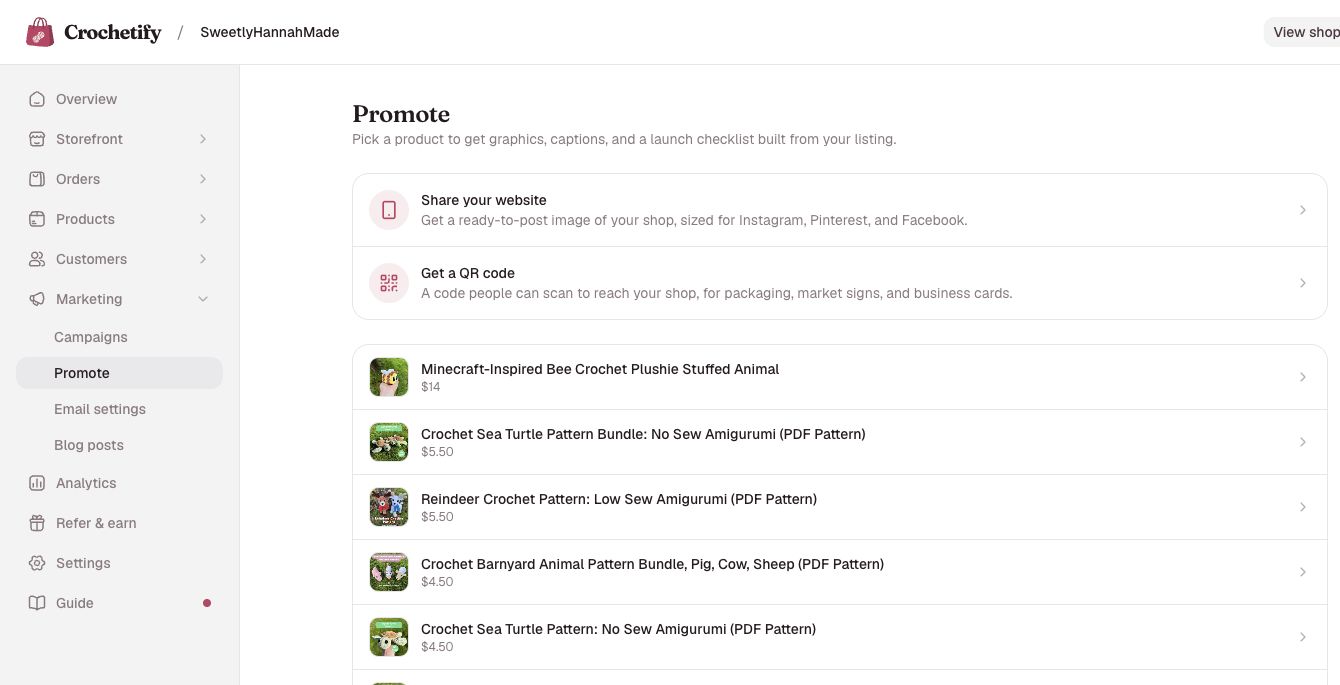
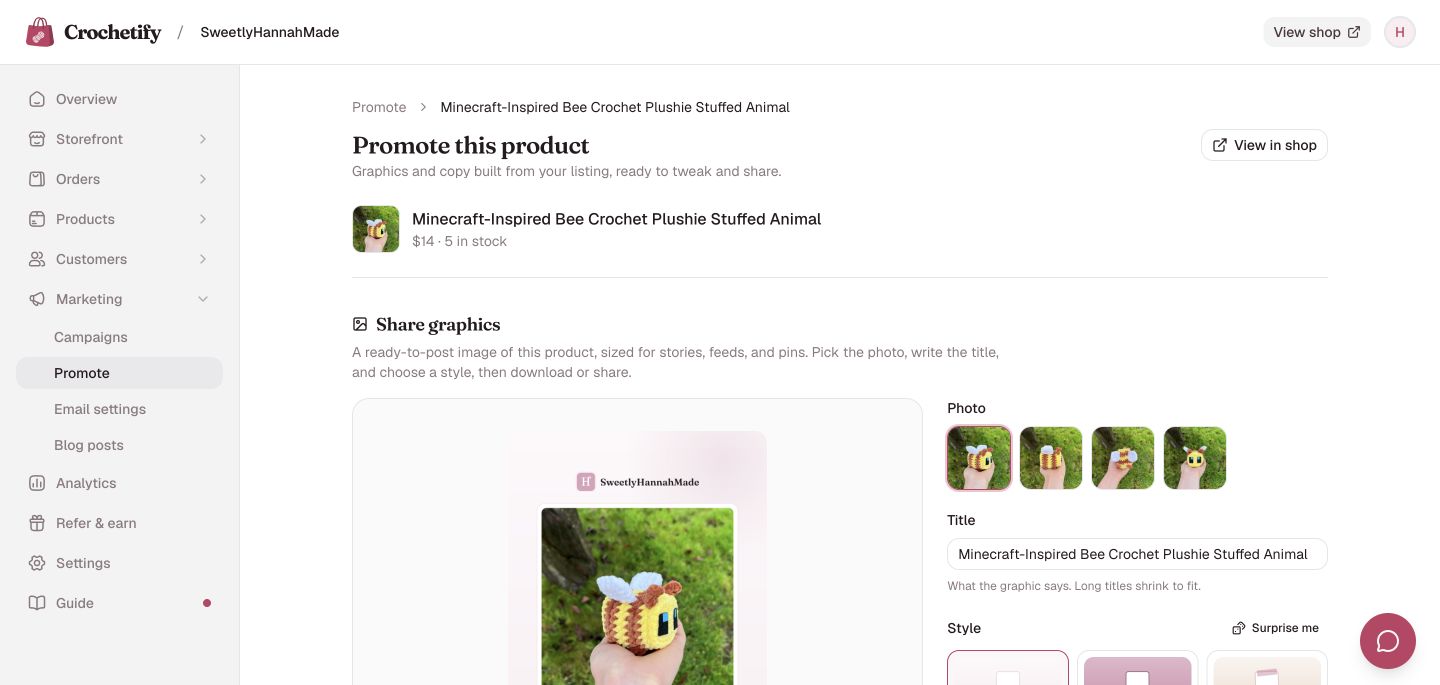
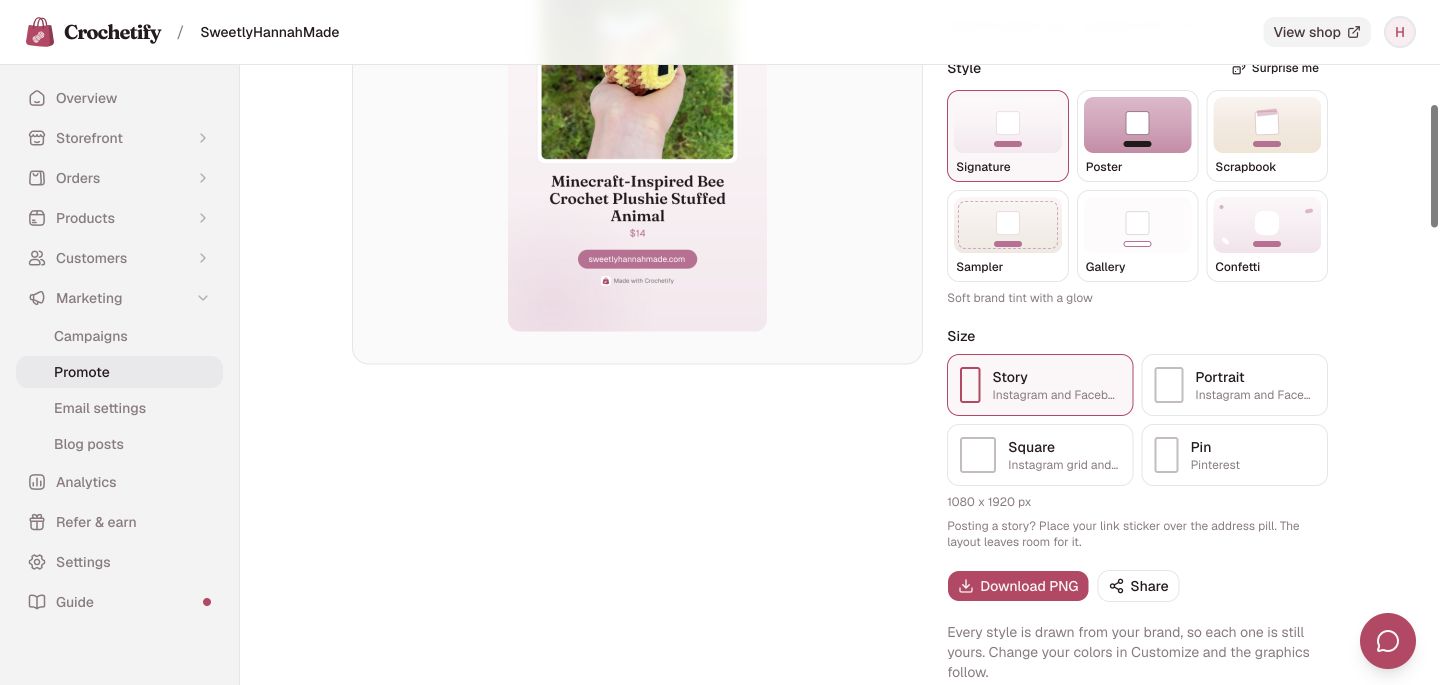
- Make a promo graphic and a QR code. (Marketing > Promote)
- Find your shop in the Crochetify marketplace, opt out, and check that it disappears. (Marketplace)
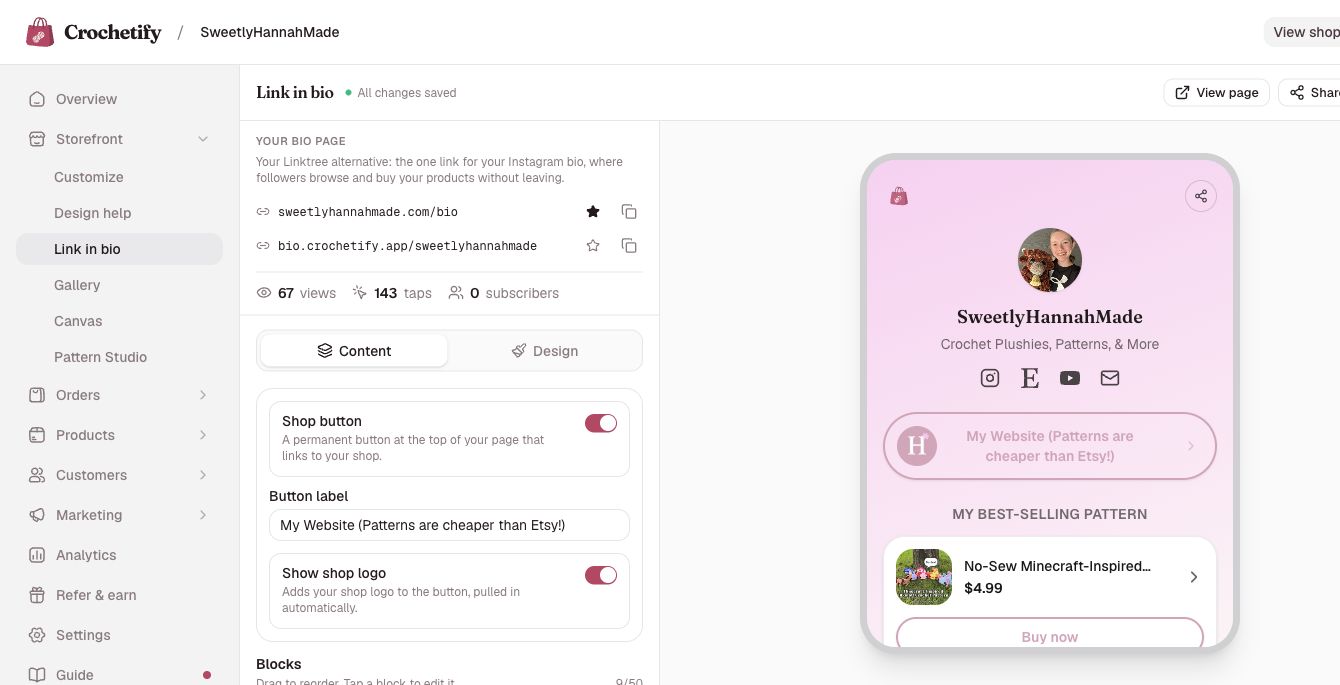
- On Pro: connect a domain, build the link-in-bio page, send a newsletter, publish a blog post, and read the visitor analytics.
Manage the account
- Switch between Basic and Pro, switch to yearly billing, and cancel. (Settings > Plan and billing)
- Delete the shop. (Settings > Store details)
Claims you can check
What Crochetify says about itself, and where to verify each one.
Crochetify takes 0% of every sale, on both plans. The flat monthly plan is the only charge from Crochetify.
Check it: Pricing; Dashboard > Analytics lists processing fees and net earnings; Stripe's fee is the only deduction on an order.
Card processing is charged by Stripe, at 2.9% + 30 cents on a US card. Stripe pays the maker's bank directly; Crochetify never holds the money.
Check it: Pricing; Settings > Payments opens the maker's own Stripe account, where payouts and fees are listed.
Two plans: Basic at $9 a month and Pro at $19 a month. Yearly billing charges ten months for the year.
Check it: Pricing; Settings > Plan and billing.
There is no free plan. Free trials come with an invite link, such as a reviewer invite or an affiliate link, and card details are always collected before a shop opens.
Check it: Sign up; Affiliate program.
Digital patterns are delivered as downloads the moment the buyer pays.
Check it: Products > New product, digital file; the buyer's receipt email carries the download.
Etsy listings and reviews import from Etsy's CSV export. There is no live Etsy connection and no stock sync.
Check it: Settings > Integrations.
Every shop is listed in the Crochetify marketplace by default, and a maker can opt out. The marketplace is discovery only: each listing links to the maker's own shop, and there is no marketplace checkout.
Check it: Marketplace; Dashboard > Marketplace.
Custom domains are a Pro feature. A maker can connect a domain they own or buy one through Crochetify; a purchased domain is billed separately at the price shown before buying.
Check it: Pricing; Settings > Domains.
Payouts are available in 40 countries, and a shop can price in one of 17 currencies.
Check it: Settings > Payments lists the countries; Settings > Store details lists the currencies.
Checkout accepts cards, Apple Pay, and Google Pay through Stripe. PayPal is not offered.
Check it: Any live shop's checkout.
A maker can use AI-generated images on their own website, but a shop with AI-generated product images is not eligible for the Crochetify marketplace, the shops list, or featured placement.
Check it: Terms of service.
Pricing and fees, defined
The words we use for money, so a review can use the same ones.
- Plan price
- The flat monthly subscription. Basic is $9 a month, Pro is $19 a month. Yearly billing charges ten months for the full year: $90 for Basic and $190 for Pro.
- Crochetify transaction fee
- 0% on every plan. Crochetify takes no percentage and no fixed amount per sale, and there are no listing fees.
- Card processing fee
- Charged by Stripe on each payment and deducted before the payout. The standard rate on a US card is 2.9% + 30 cents; Stripe's rate differs by the maker's country and the payment method. The exact fee on each order shows in Dashboard > Orders.
- Payout
- Stripe pays the money from a sale into the maker's own bank account. Crochetify never holds it. A refund returns the buyer's money, but Stripe keeps its processing fee.
- Domain
- A domain bought through Crochetify is a separate yearly charge, with the price shown before purchase. Connecting a domain a maker already owns costs nothing beyond the Pro plan.
A worked example
On a $45 sale paid with a US card, Stripe's fee is $1.61, Crochetify takes $0, and $43.39 reaches the maker's bank.
Checked . Plan prices and the card rate above are read from the same source as the pricing page, so they change together.
Logos and screenshots
Files you may use as they are.
Logos
Product screenshots
 Download
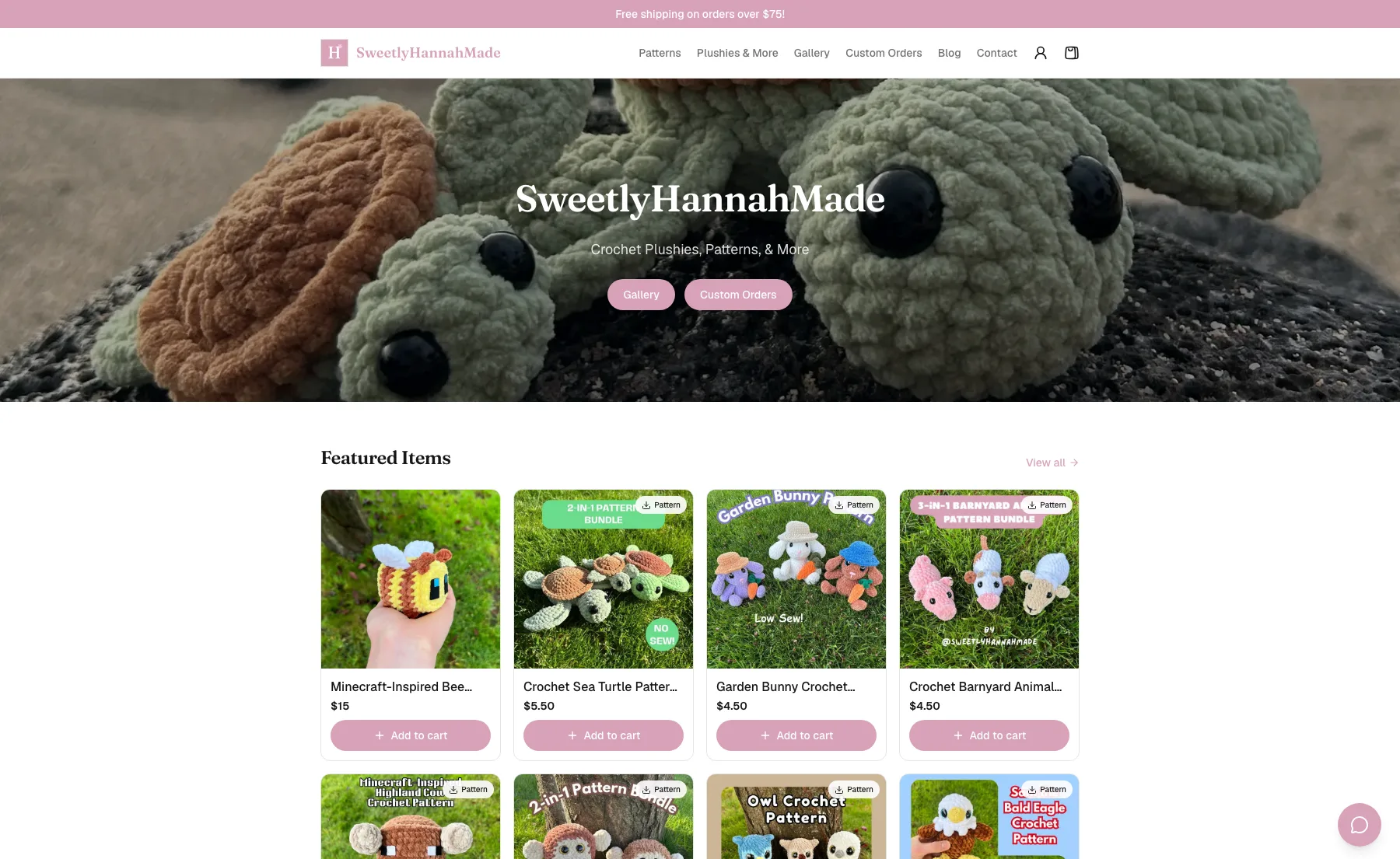
A live storefront
SweetlyHannahMade, co-founder Hannah's own shop, running on Crochetify.
 Download
Promote: choose a product
The Promote page in the dashboard, with the products to pick from.
 Download
Promote: the graphic builder
The promo builder with a preview, product photos, title, and style controls.
 Download
Promote: Story size
The Story size selected, with the PNG download and link-sticker guidance.
 Download
Link-in-bio editor
The Pro link-in-bio editor with page links, content controls, and a phone preview.
 Download
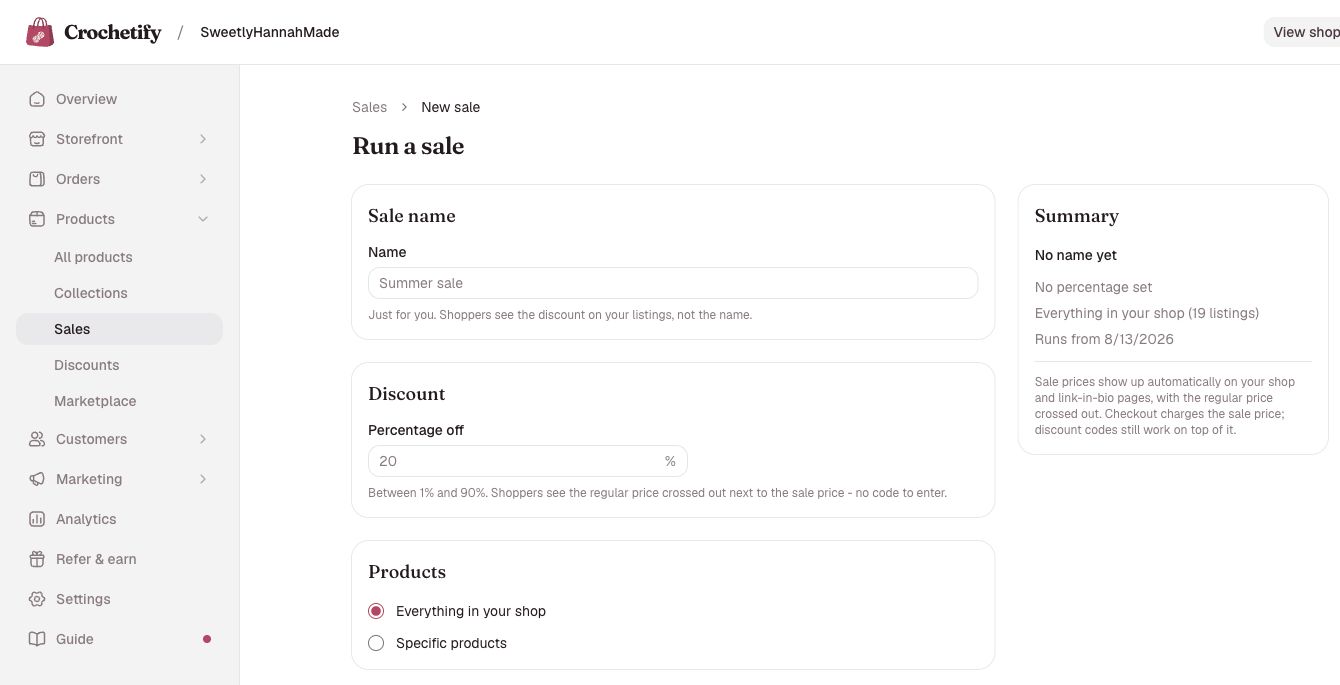
Run a sale
The Run a sale form with name, discount, product, and summary fields.
How to use them
- Use the files as they are. Do not recolor, stretch, crop, or add effects to the mark. The brand color is #BF4063.
- Screenshots of your own test shop are welcome, and you do not need to ask. Leave other people's names, emails, and addresses out of anything you publish.
- Do not present the logo in a way that suggests Crochetify endorses or wrote your review.
Who is behind Crochetify
Crochetify was co-founded by Hannah, a crochet seller who runs SweetlyHannahMade. She opened a Shopify store for her own shop, but once the free trial ended it was too expensive, so Crochetify started in 2026.
It is a small company based in the United States. The first entry in the public changelog is dated June 18, 2026. The product lives at crochetify.app; the domain crochetify.com belongs to an unrelated crochet site.
The About page has Hannah's letter on why the product exists.
Best fit, and limits
Who Crochetify is built for, and what it does not do.
Best fit
- Crochet and fiber-arts makers who already have an audience on Instagram, TikTok, Pinterest, or at markets, and want a shop of their own.
- Makers selling finished pieces, made-to-order work, digital patterns, or all three from one shop.
- Sellers leaving Etsy who want their listings and reviews to come with them and want to stop paying a cut of every sale.
- One maker running one shop, without a developer or a designer.
Limits
- No built-in buyer traffic. The Crochetify marketplace is a discovery page, not a checkout, and it is small. Shoppers come from the maker's own audience and from search.
- Stripe only. Checkout takes cards, Apple Pay, and Google Pay; PayPal is not offered.
- Payouts in 40 countries, and the payout country cannot change once set.
- One checkout currency per shop. Shoppers can see price estimates in their own currency, but they pay in the shop's.
- No point of sale for in-person selling, no third-party app store, and no separate staff logins.
- Etsy import is a CSV upload. Stock does not sync between Etsy and Crochetify afterwards.
- Custom domains, newsletters, the blog, the link-in-bio page, and visitor analytics are Pro features at $19 a month.
- Club memberships, Canvas, and Pattern Studio are in private beta and are not on every shop.
- There is no Crochetify app in the app stores. The dashboard is a website, and it works on a phone.
- A young product. The first public release was June 2026. Crochetify does not publish customer or sales counts; the Shops directory is the public list of live shops.
Disclosure
What to tell your readers, and what we do and do not offer.
- If you receive anything of value from Crochetify, say so where readers see it, before they reach your conclusions. That includes free or extended trial access, a complimentary Pro period, an affiliate link that pays you, and any payment.
- Say it in plain words, on every platform: in the post, in a video's description and spoken in the video, in a caption, in a newsletter, on a podcast.
- If you join the affiliate program, disclose it in every piece that carries your link.
- Disclosure is the law in many places, including under the FTC Endorsement Guides in the United States. Follow the rules where you publish.
Wording you can use
“Crochetify gave me free access to test the product. They did not see this review before I published it and had no say in what I wrote.”
“This post has affiliate links. If you open a shop through them, Crochetify pays me a commission.”
What we offer
- Trial access to test the product on your own shop.
- Answers to questions of fact, by email.
- If you want it, an affiliate link that pays $10 for each maker who becomes a paying customer.
What we do not offer
- Payment for a review.
- Payment tied to what a review says.
- Approval of your text before it goes out.
- Anything conditional on a link back or on publishing at all.
Questions of fact
Use the contact form and pick the Partnership topic. A person replies by email. We answer what is true about the product; we do not supply talking points.
Hannah answers maker questions herself at @sweetlyhannahmade.