
You do not need a big audience or a marketing plan full of jargon. You need a product people can understand, a picture that makes them stop, and a link that takes them straight to checkout.
This guide shows the simplest launch loop in Crochetify. Use it for a new pattern, a finished plushie, a restock, or any product that needs a fresh push.
1. Make a promo graphic for one product
Start with one product, not your whole shop. One good photo and one offer are easier to understand while someone scrolls.
- Open your Crochetify dashboard.
- Go to Marketing, then Promote.
- Choose the product you want to share.
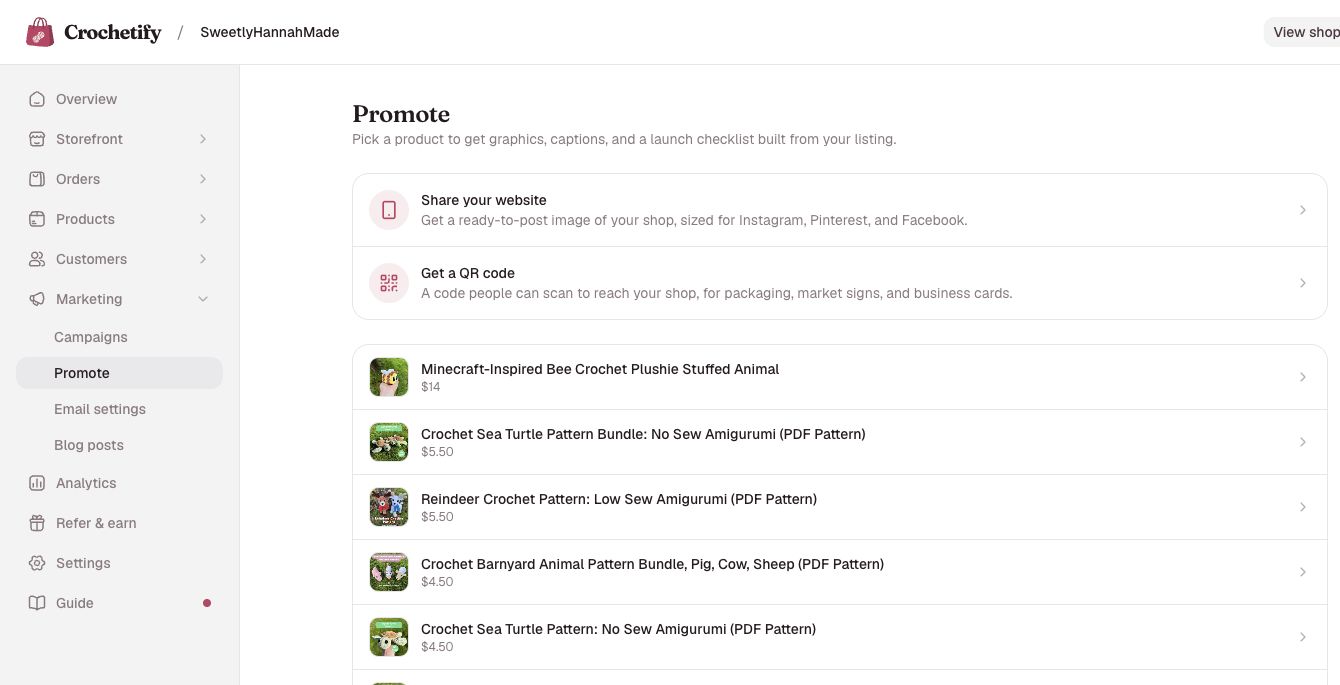
Crochetify builds the graphic and the post copy from your listing. Pick the strongest product photo, shorten the title if it feels crowded, and choose a style that fits your shop. You can make a Story, portrait post, square post, or Pinterest pin from the same screen.
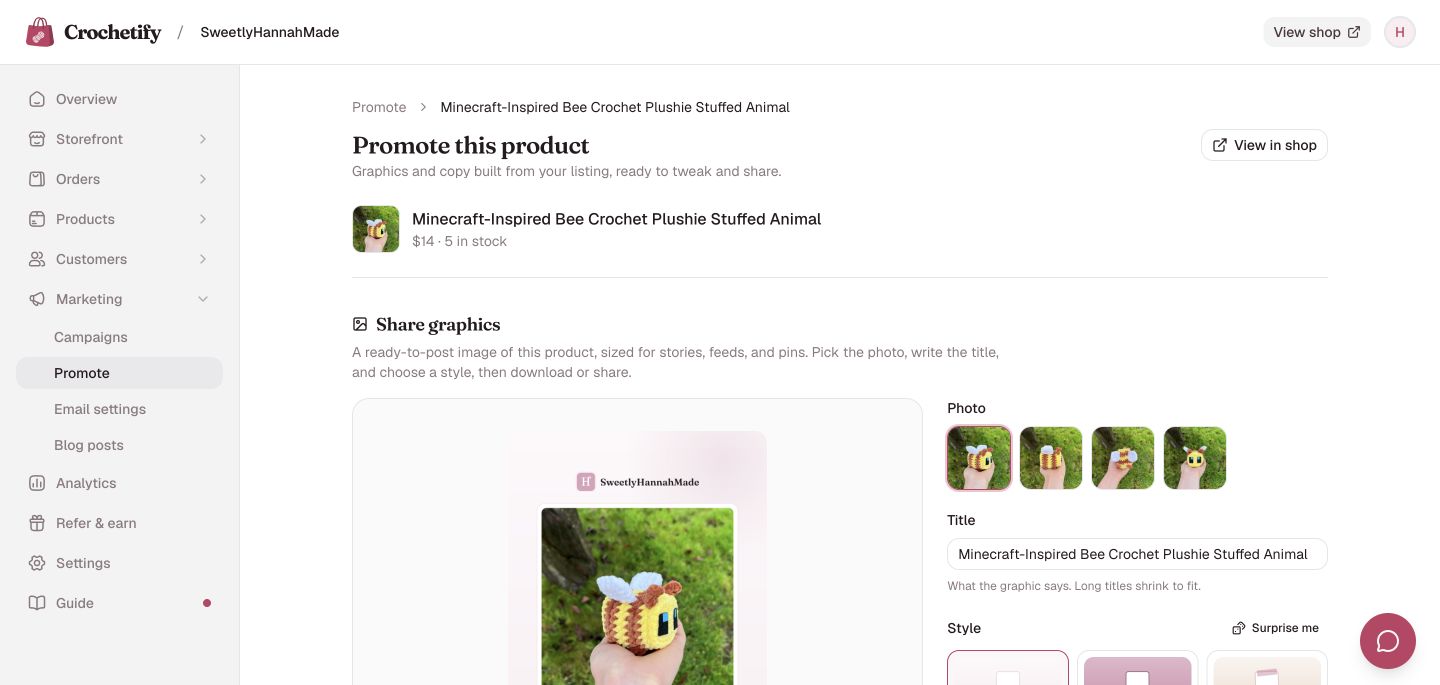
Keep the title plain
Say what the item is. “No-sew baby axolotl crochet pattern” helps a shopper faster than a cute launch name they have never heard before.
2. Put your shop in your bio
People cannot tap a link in a normal Instagram or TikTok caption. Your profile link is the bridge between a post and your shop, so set it up before you share.
- In Crochetify, go to Storefront → Link in bio.
- Turn on the shop button and add the products or links you want people to see first.
- Copy your primary bio-page address at the top of the editor.
- Open your Instagram or TikTok profile, edit the profile, and paste that address into its link or website field.
- Open the link once from your profile to make sure it goes to the right page.
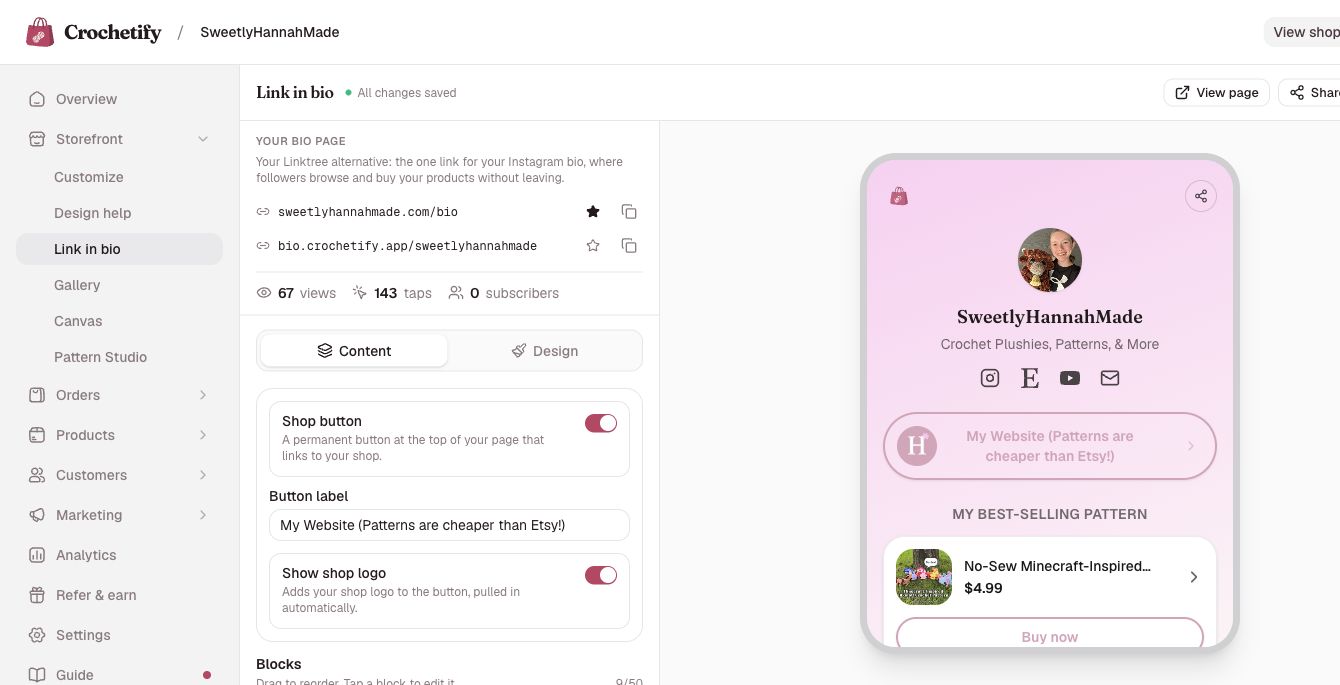
Put the product you are launching near the top. A follower who came for that pattern or plushie should not have to hunt through every link you have ever shared.
3. Share the promo graphic to your Story
Stories are useful for a launch because the image, the message, and the link can sit together on one screen. You do not need to design that screen from scratch.
- Go back to the product in Marketing → Promote.
- Choose Story under Size.
- Select Download PNG.
- Add the image to a new Instagram or TikTok Story.
- Add a link sticker that points to the product page. If you are sharing several items, point it to your link-in-bio page instead.
- Place the sticker over the address pill near the bottom of the graphic, then post.
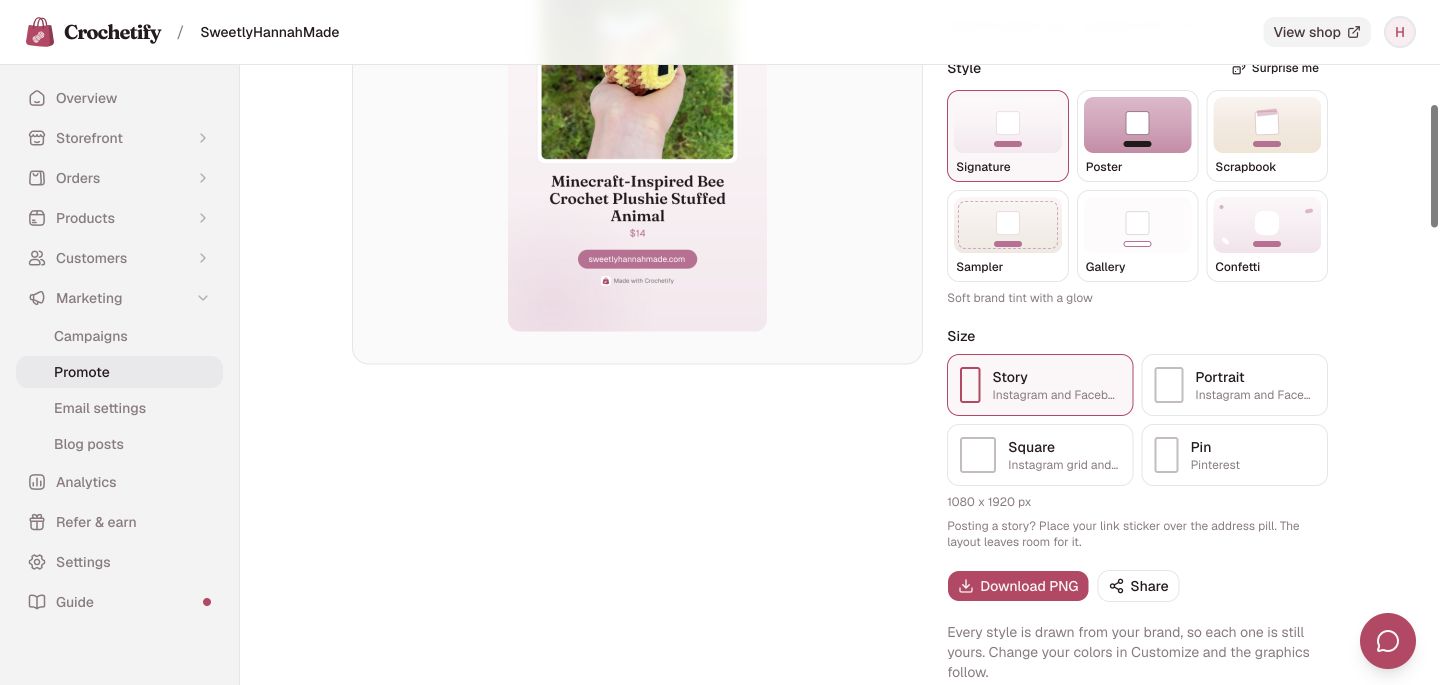
Add one short line in the Story itself: “New pattern,” “Back in stock,” or “20% off through Sunday.” The product graphic already carries the rest. You can also copy one of the Story ideas farther down the Promote page if you are stuck.
4. Run a short sale for a new release
A launch sale gives someone a reason to buy now instead of saving the post and forgetting it. Keep it simple: one product, one discount, and an end date.
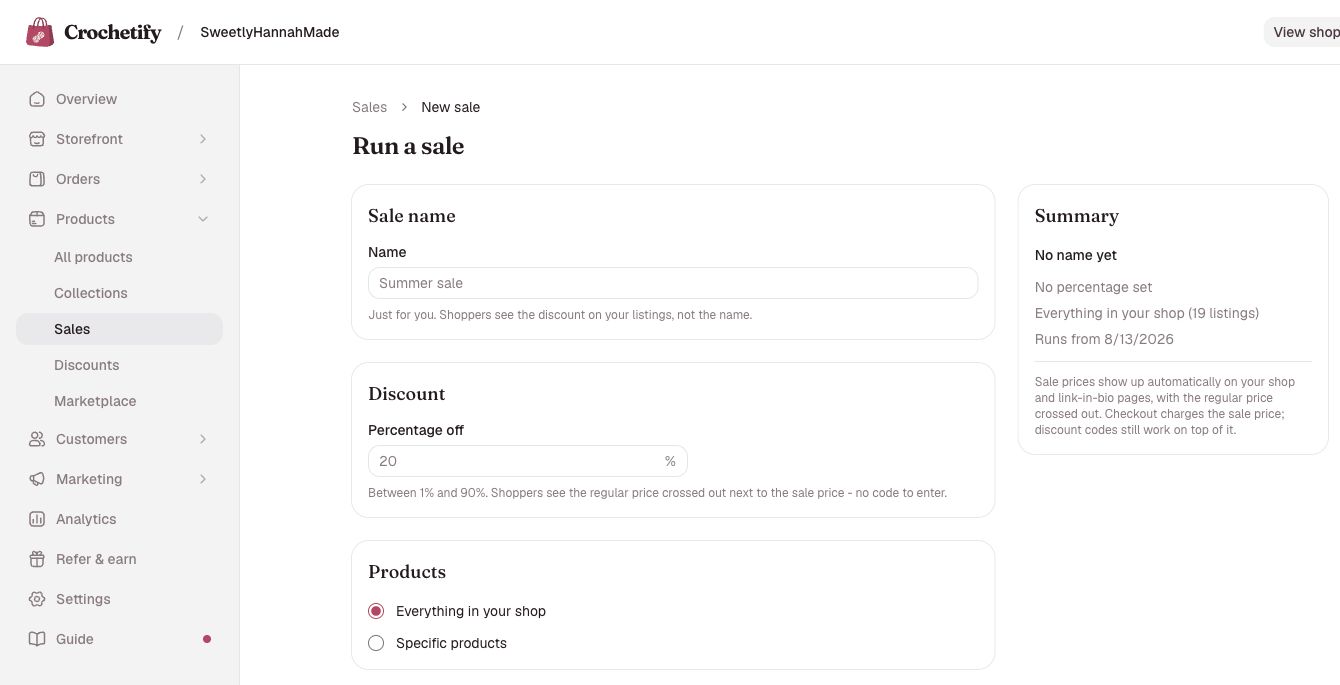
- Go to Marketing → Sales and select Run a sale.
- Give the sale an internal name, such as “Axolotl launch.” Shoppers do not see this name.
- Enter the percentage off. A small discount is enough; you do not need to cut the price in half.
- Choose Specific products and select the pattern or plushie you are releasing.
- Start the sale now and set an end date a few days away.
- Save the sale, then check the product page. Crochetify shows the regular price crossed out beside the sale price, with no code for the shopper to enter.
Tell people when the sale ends
Put the end day in your caption and Story, such as “15% off through Sunday.” A deadline only helps when the shopper can see it.
A simple launch you can repeat
Use the same order each time you release something:
- Publish the product and open its page once to check the photos, price, and description.
- Set up the short sale, if you are running one.
- Move the product near the top of your link-in-bio page.
- Make the promo graphic and download the Story size.
- Post it with a link sticker and one plain sentence about what is new and when the sale ends.
That is enough for a real launch. Watch which products get taps and sales, keep showing the work behind them, and run the same loop again for the next release.
Frequently asked questions
Do I need a big following to make sales on Crochetify?
No. A smaller audience can still buy when the product is clear and the path to checkout is short. Start with the people who already follow your crochet, put one shop link in your profile, and share one product at a time.
Should my Story link to one product or my link-in-bio page?
Link straight to the product when the Story is about one pattern or plushie. Use the link-in-bio page when you are sharing a collection, a restock with several products, or a general shop update.
How long should a launch sale run?
A few days is a good starting point. It gives followers time to see the post without letting the launch drag on. Put the exact end day in the post so shoppers know when the regular price returns.
What should I post after launch day?
Show the product again from a different angle. Share a close-up, a short making clip, a customer question, or a reminder on the final sale day. Repeating the offer is useful because many followers will miss the first post.